All teams must upload their official HCR roster.
We've had some inquiries about this, so here are the instructions.
Registrar (or whoever has admin access to HCR) must download a copy of the team's official HCR roster.
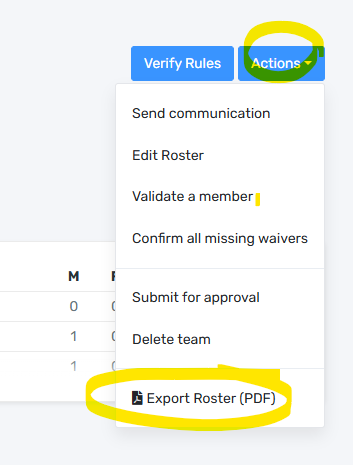
Registrar or team manager or whoever has the team login can upload the official roster to the NEAHL website.
At the start of the season, the rosters can have participants listed as pending, but please resubmit once everyone is approved or if there are any changes (eg when you add your affiliates).
Login to ramp with the team credentials, then look for an HCR Files item in the menu:


This is the next screen:
Click on Choose file and select if from the computer's files (wherever it was downloaded or saved), then click Upload File and it gets attached to the team.
If there is a new updated roster, upload it the same way and it will overwrite the previous one.
If you are struggling, you can can send the roster to the deputy governor and request that they upload it.
2025-26 League Champions